Effective communication is the foundation of any successful business, and your phone system plays a central role in it. From managing client calls to keeping your team connected across locations, having the proper setup can dramatically improve efficiency, flexibility, and customer experience. But with so many technologies, providers, and pricing models available, it’s not always easy to know where to start.
This guide covers everything you need to know about business phone systems, including Voip and PBX, mobile integration, features, costs, and more. Whether you’re a small business looking for a cost-effective setup or an enterprise planning to scale communications globally, this guide will help you make an informed decision.
General Overview of Business Phone Systems
What Are Business Phone Systems?
A business phone system is a network of hardware or software-based telephony solutions designed to manage and route incoming and outgoing calls across an organisation. Unlike basic residential lines, business systems support multiple users, extensions, call handling features, and integration with other tools, such as email and CRM platforms. These systems help teams communicate efficiently, project professionalism to clients, and scale communication as the business grows.
What are the different types of business phone systems available today?
There are several types of business phone systems, each with its strengths depending on company size, structure, and technology needs:
Traditional Landline Systems
These are the classic phone systems that have been around for decades. They rely on copper wiring provided by local or regional telephone companies. While they are known for their reliability and familiarity, they lack some of the advanced features modern businesses require.
VoIP Systems
Voice over Internet Protocol (VoIP) systems use your internet connection instead of traditional phone lines to make calls. This technology offers a range of features and flexibility that can be particularly beneficial for businesses with a strong internet infrastructure.
Virtual Phone Systems
Virtual systems are designed to connect a main business number to remote workers using their mobile or home phones. These systems are ideal for businesses with a distributed workforce or those who want to maintain a professional image without investing in physical office space.
Cloud and On-Premises Systems
Both cloud-based and on-premises systems utilise VoIP technology but differ in where the hardware is hosted. Cloud-based solutions house all hardware off-site with a service provider, while on-premises solutions keep everything within your business location.
Best Phone Systems for Businesses
The best business phone system depends on your company’s size, structure, and communication needs. Broadly, systems fall into three main categories: traditional landline systems, VoIP systems, and virtual/cloud-based phone systems.
- Landline systems are familiar and reliable but often lack modern features and can be costly to scale.
- VoIP systems run over the Internet and offer advanced features, flexibility, and cost savings. They are ideal for businesses with strong Internet infrastructure.
- Cloud-based or virtual phone systems remove the need for on-site hardware and are especially useful for remote or hybrid teams.
Businesses seeking more control may opt for a system that allows on-premises hosting, such as 3CX. Others using Microsoft 365 may benefit from the convenience of Microsoft Teams Phone. Ultimately, the best system is one that aligns with your workflow, scales with your team, and supports efficient communication.
Choosing the Best Phone Service for Small Businesses
For small businesses, choosing the right phone service means balancing affordability with features that support growth. Cloud-based VoIP systems are often the most suitable due to their low setup costs and flexibility. They offer essentials like call forwarding, voicemail, automated attendants, and mobile integration.
Small teams benefit from services that are easy to set up and manage without needing dedicated IT staff. Solutions that support remote work and allow calls to be made and received on smartphones, tablets, or laptops are especially valuable.
Some systems also offer hybrid hosting—either in the cloud or on-premises—giving smaller businesses more control over their infrastructure. Platforms like 3CX offer this flexibility, while Microsoft Teams Calling is ideal for businesses already working within the Microsoft ecosystem. However, the core focus should always be on ease of use, support availability, and scalability.
Understanding Enterprise Phone Systems
Enterprise phone systems are built to support large user bases, high call volumes, and multiple office locations. They typically fall under two categories: Unified Communications (UC) platforms and dedicated PBX systems.
- PBX systems (Private Branch Exchange) allow internal call routing, conferencing, and custom call flows. They can be hosted on-premises or in the cloud and often support advanced security and compliance requirements.
- Unified Communications platforms integrate calling with messaging, video conferencing, and collaboration tools, offering a centralised experience across multiple channels.
Enterprises may favour cloud-first solutions for scalability and global reach, or on-premises setups for data control and custom infrastructure. For example, Microsoft Teams Phone enables enterprise-level calling within the broader Microsoft 365 ecosystem, while the 3CX phone system provides powerful PBX features with extensive configuration options.
The best enterprise systems are secure, scalable, and integrate with existing business tools, allowing for streamlined communication and improved productivity.

VoIP Systems for Businesses
Introduction to VoIP Phone Systems
VoIP systems are known for their flexibility and feature-rich services, such as voicemail-to-email transcription, call forwarding, and video conferencing capabilities.
One of Voip’s main advantages is its minimal hardware requirements. Many businesses can use their existing computers or mobile devices to access their phone systems, resulting in lower initial costs compared to traditional landlines. VoIP services typically operate on a subscription model, with monthly fees ranging from $70 to $80 per user. These fees generally include access to advanced features without additional charges for long-distance calls.
Benefits and Drawbacks of VoIP for Small Businesses
VoIP (Voice over Internet Protocol) is a popular choice for small businesses due to its affordability, flexibility, and rich feature set. Key benefits include:
- Low upfront costs
- Easy scalability
- Features like:
- Call forwarding
- Voicemail-to-email
- Video conferencing
- Mobile apps—making it ideal for remote or hybrid teams
VoIP systems are also easier to set up and maintain than traditional landlines, especially when hosted in the cloud. Small businesses can use their existing internet connection and hardware, which reduces setup costs.
However, VoIP does have some drawbacks. It relies entirely on your internet connection, and poor bandwidth or connectivity can affect call quality. Overall, though, VoIP is an excellent option for most small businesses, provided they have a stable internet connection.
Setting Up VoIP for Small Businesses
Setting up a Voip system for a small business is relatively straightforward and usually doesn’t require specialised IT expertise. Here’s how to get started:
Step 1: Ensure You Have a Reliable Internet Connection
A stable, high-speed internet connection is essential for clear and consistent VoIP calls. If your connection isn’t strong enough to support multiple simultaneous calls, check your bandwidth and consider upgrading.
Step 2: Choose the Right VoIP System Type
Decide between:
- Hosted (Cloud-Based) VoIP – Easier to set up and maintain, with most features managed by the provider.
- On-Premises VoIP – Offers greater control and flexibility, but requires internal infrastructure and upkeep (e.g., using a platform like 3CX).
Step 3: Select a VoIP Service Provider
Choose a provider based on your budget, features, and growth needs. Look for options that include essentials like voicemail, auto-attendants, and mobile access.
Step 4: Set Up Users, Numbers, and Call Flows
Configure your phone system by:
- Assigning phone numbers and extensions
- Setting up call routing rules, voicemail boxes, and automated menus (IVRs)
- Creating working hours and out-of-office responses
Step 5: Install Apps and Connect Devices
Install the provider’s mobile or desktop apps on employees’ devices. Many systems also offer browser-based portals, allowing team members to work from anywhere.
Step 6: Integrate with Other Tools (Optional)
Link your system with tools like CRMS, email platforms, or help desk software to streamline communication and improve productivity.
Free VoIP Services: Are They Worth It?
Free VoIP services can be tempting for small teams or freelancers looking to reduce costs. Platforms like Zoom and Skype offer basic voice and video calling features at no charge. They are often suitable for informal communication or sole traders.
However, free VoIP services usually come with significant limitations:
- Limited or no customer support
- Few advanced features like call routing, Interactive Voice Response IVRs, or call analytics
- Potential data privacy concerns
- Restrictions on commercial use
While they may work for side projects or very small teams, growing businesses typically outgrow these platforms quickly. Paid VoIP services offer better reliability, scalability, and compliance, critical for professional operations. If your business depends on communication to close sales or support customers, investing in a reputable VoIP system is worth the cost.
Why Businesses Are Switching to VoIP
Businesses are increasingly switching to VoIP to reduce costs, improve flexibility, and future-proof their communications. Unlike traditional phone lines, VoIP systems operate over the internet, allowing companies to scale without investing in new hardware or wiring.
The shift toward remote and hybrid work has accelerated this trend even further. VoIP systems support mobile apps, video meetings, and softphones, enabling teams to communicate from anywhere. Businesses also benefit from features like call forwarding, auto attendants, CRM integrations, and call analytics, all of which improve operational efficiency.
VoIP is also more cost-effective, especially for long-distance or international calls. Because of its better call quality and service reliability, many businesses are switching from landlines to VoIP systems that evolve with their needs.
VoIP and Microsoft Teams Integration
Microsoft Teams can be enhanced with full VoIP capabilities through Microsoft Teams Phone, which allows users to make and receive traditional phone calls directly within the Teams interface. This is especially useful for businesses already using Microsoft 365, as it centralises communication across chat, video, and voice.
With Direct Routing or Microsoft’s own Calling Plan, businesses can integrate Teams with the public telephone network (PSTN). This enables internal extensions, external calls, voicemail, call queues, auto-attendants, and call transfers—all managed within a familiar platform.
Teams Phone effectively turns the Teams app into a cloud PBX, making it a flexible and scalable solution for businesses of all sizes. It’s particularly valuable for organisations looking to consolidate tools and streamline internal workflows without investing in separate phone infrastructure.
View our Ultimate Guide To Microsoft Teams Calling to find out everything you need to know about Microsoft Teams Phone for business.

Cost-Effective Business Phone Solutions
Understanding Business Phone System Costs
Having a reliable and efficient phone system is crucial for connecting with clients, collaborating with team members, or managing remote workers. However, the cost of implementing and maintaining a business phone system can be a significant factor in the decision-making process.
Traditional Landline Systems
Traditional landline systems have been the backbone of business communications for decades. These systems rely on physical copper wiring and often require Private Branch Exchange (PBX) hardware to manage multiple lines and extensions within an office. The PBX hardware acts as the central hub for all telephone communications in the company.
Initial investment can be high, between $500 to $1,000 per user. Additional maintenance costs and long-distance charges can also add up.
VoIP Systems
VoIP eliminates most hardware costs and operates on monthly fees (~$70–$80/user), typically with bundled features and no extra charge for long-distance calls.
Virtual Phone Systems
These systems forward calls to mobile/home phones. Costs generally range from $30 to $70 per user/month. Ideal for small or remote teams.
Cloud-Based Systems
Hosted off-site by the provider, these solutions eliminate most installation costs. Monthly fees range from $10 to $75, depending on features. Cloud systems may include advanced integrations like CRM and AI tools.
Affordable Business Phone Plans
Affordable phone plans for businesses offer a balance of essential features and low monthly costs, making them ideal for startups and small teams. These plans are typically offered as Voip-based subscriptions, billed per user, and include features such as call forwarding, voicemail, IVRS, and mobile app access.
Many providers offer tiered pricing. Basic plans start around $10–$20 per user/month and scale up based on features like unlimited calling, call analytics, and CRM integrations. Plans with shared lines or pooled minutes can be especially cost-efficient for small teams that don’t require individual numbers for every employee.
Look for services that allow flexible upgrades, no long-term contracts, and inclusive domestic calls. Choosing providers that allow you to scale up or down as your team changes can also save money in the long run.
Cheapest Options for a Business Phone Number
If you simply need a professional number without a full phone system, there are several low-cost options. Many VoIP providers offer virtual business numbers that forward calls to your mobile or desktop app.
Zoom Phone, for example, allows you to choose a local Australian number, route calls, manage voicemail, and stay connected across devices—all from the Zoom app. VoIP providers like 3CX and others also let you register a business number and use it across devices without needing a desk phone.
For the absolute lowest cost, shared or team numbers allow multiple users to handle calls via a single business line. This is especially helpful for customer service teams or remote staff. While these options are cheap or even free, they still create a professional impression and keep business and personal calls separate.
Free and Low-Cost Business Communication Options
Businesses on a tight budget have several communication tools at their disposal beyond traditional phone systems. Free VoIP apps like Skype and Zoom support voice and video calls. Messaging-first platforms like Slack and Microsoft Teams also offer voice and video capabilities.
Additionally, many entry-level VoIP providers offer free trials or freemium plans. For example, 3CX offers a free tier with limited users and features, which is great for startups testing the waters.
While free options may lack advanced features like call queues, IVRs, or integrations, they’re often good enough for solo operators or very small teams. As your business grows, upgrading to a more robust paid plan ensures better reliability and professionalism.

Using Personal Phones for Business Purposes
Virtual Phone Systems and Mobile Integration
Virtual phone systems are designed primarily as call-forwarding solutions that route incoming calls to another phone number, like a mobile phone or home line. This type of system is particularly beneficial for small businesses or those with employees who work remotely. They provide basic telephony features such as voicemail, call screening, and online management tools.
Can You Use Your Cell Phone as a Business Phone?
Yes, many small business owners and freelancers use their personal mobile phones for work, but doing so without a proper setup can blur boundaries between professional and personal life. The most effective method is to use a virtual phone system or VoIP app that assigns a separate business number to your existing device.
These services allow you to:
- Keep your personal number private
- Set business hours and call routing rules
- Record voicemails and manage calls professionally
Apps like 3CX and Microsoft Teams Phone enable business calling from a mobile device while maintaining a professional presence. This lets you run your business from anywhere without carrying a second phone.
Benefits of Having a Separate Phone for Your Business
Having a separate phone or business line offers several key advantages:
- Professionalism: A dedicated number adds credibility and ensures clients receive a professional experience.
- Work-Life Balance: It helps you set boundaries by filtering or silencing business calls after hours.
- Call Management: Business lines often come with voicemail greetings, call recording, and call forwarding options that improve customer service.
- Shared Access: A separate line can be shared with team members, so multiple staff members can answer and manage calls from different devices.
You don’t necessarily need a second device. Cloud-based VoIP systems and apps let you achieve all of this using your existing smartphone or computer.
How to Set Up a Work Phone for Your Business
With today’s VoIP and virtual phone services, setting up a business phone is simple. Start by selecting a platform that matches your needs.
Steps to set up:
- Choose your business number – local, toll-free, or mobile-style.
- Install the mobile/desktop app – most VoIP services offer cross-device compatibility.
- Set call routing rules – configure working hours, voicemail, and call forwarding.
- Create a professional voicemail greeting – include your name, business, and instructions.
- Integrate with other tools – connect to your CRM or calendar to streamline communication.

Business Phone Features and Technology
Comparing Office Phone Systems
When comparing office phone systems, there are several factors you should consider, such as –
1. Features
Modern office phone systems have features that can significantly enhance your team’s communication capabilities. Here are some essential functions to look for:
- Call Transfer: Allows you to redirect a call to another extension or phone number.
- Hold: Enables you to place callers on hold, often with music or messages.
- Hunt Groups: Distributes incoming calls within a predefined group of extensions.
- Conference Calling Capabilities: Facilitates multi-party calls for meetings or collaborative sessions.
- Automated Attendants (IVRs): Provide automated menus to guide callers through options and direct them to the appropriate department or individual.
- Voicemail-to-Email Transcription Services: Converts voicemail messages into text and sends them directly to your email.
These features can streamline operations and improve customer interactions.
2. Scalability
As your business grows, so should your phone system—without causing disruptions or requiring significant additional investment. Look for systems that allow easy addition of lines or integration of new technologies. Cloud-based VoIP (Voice over Internet Protocol) systems are remarkably scalable as they typically offer flexible subscription models based on the number of users.
3. Integration
A good business phone system should not stand alone but integrate seamlessly with other tools.
- CRM Software Integration – Integrating with Customer Relationship Management (CRM) software can enable click-to-call functionality, call logging, and easy access to customer information during calls.
- Email Client Integration – Some systems allow voicemails to be received and managed through email.
These integrations provide a unified communication experience that can lead to increased efficiency and better data management.
4. Mobility
With remote work becoming the new norm, mobile integration is crucial for teams that aren’t always desk-bound. Many modern systems offer mobile apps that replicate the functionality of desk phones on smartphones or tablets. They also ensure that employees can connect to the office phone system from anywhere in the world, increasing work flexibility.
5. Reliability
The reliability of an office phone system is crucial. Investigate potential systems’ uptime statistics—look for providers who guarantee high availability. Additionally, read reviews from current users about their experiences with the system’s reliability.
6. Support
Ensure that customer support is available when needed—24/7 support may be necessary for businesses operating across different time zones. Consider whether support is offered via phone, email, live chat, or self-service portals.
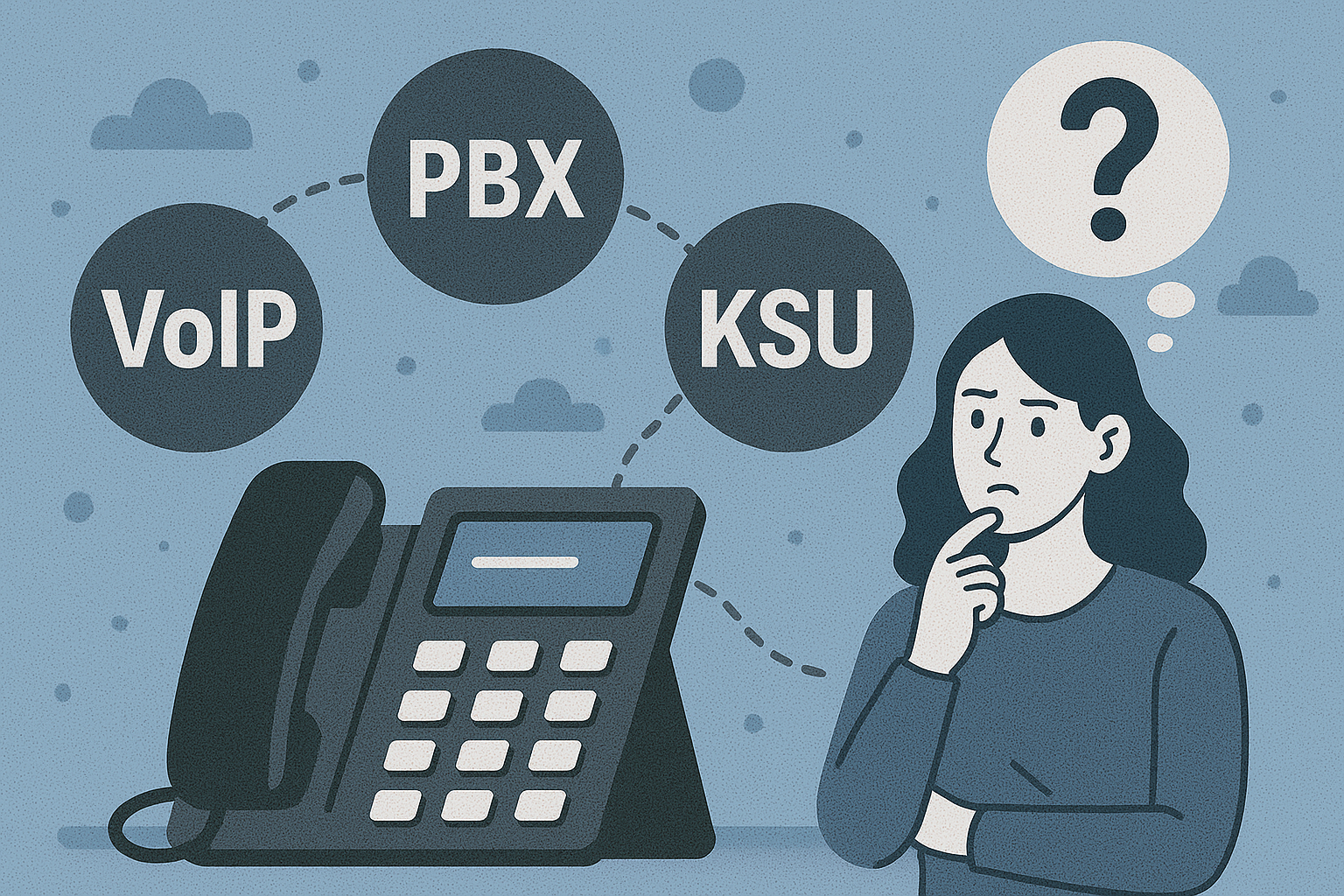
Comparing VoIP, PBX, KSU, and PABX Systems
Understanding the different types of phone systems helps you choose the right one for your business:
- VoIP (Voice over Internet Protocol) systems use the internet to make calls. They’re flexible, cost-effective, and feature-rich—ideal for remote or hybrid teams.
- PBX (Private Branch Exchange) systems are traditional on-premises networks that manage internal and external calls. These are more hardware-intensive but offer robust control.
- PABX (Private Automatic Branch Exchange) is a more advanced version of PBX, automating internal routing without manual switchboard operators.
- KSU (Key System Unit) is a simpler system, suitable for very small businesses. It allows for basic multi-line functionality but lacks scalability.
VoIP and cloud PBX solutions have largely replaced older PBX/PABX systems for growing businesses due to easier setup, lower cost, and remote compatibility.
Features and Benefits of PBX Systems
PBX systems—whether on-premises or hosted in the cloud—provide centralised control over your business’s internal and external phone communications. Their core features include:
- Call routing and transferring
- Auto-attendants (IVRs)
- Call queues and hunt groups
- Extension-based calling
- Conference calling
- Custom voicemail greetings
The benefits of a PBX system lie in its consistency, scalability, and professional call handling. On-premises PBX systems offer full control and security, often required in industries with strict compliance needs. Cloud-hosted PBX solutions (like the 3CX phone system or Microsoft Teams Phone) deliver the same capabilities but with lower infrastructure demands, making them ideal for businesses that want flexibility and reduced IT overhead.
Sharing a Phone Line Across Multiple Devices
Modern business phone systems allow a single phone number to be used across multiple devices simultaneously—desktop phones, mobile apps, tablets, and even browser-based softphones. This feature is particularly useful for:
- Remote teams that need access on mobile.
- Customer service teams sharing a central line.
- Businesses with flexible work environments.
Calls can be configured to ring all devices at once, in sequence, or according to availability. Some systems even allow multiple users to view call logs, listen to voicemails, or respond to incoming calls under a shared number.
Conclusion
Business phone systems have come a long way, from copper landlines to cloud-powered platforms that support video, voice, and messaging in one. The key is finding a solution that aligns with how your team works, how your business scales, and how your customers expect to connect with you.
Whether you’re setting up a VoIP system for the first time, weighing up costs, or exploring tools like 3CX or Microsoft Teams Phone, the most important factor is to choose a system that enhances, not complicates, your communication.
If you’re ready to explore your options or need help finding the right solution, our team at C2 Communication is here to assist. Contact C2 Communications today and let’s upgrade your communication, together.
Written by
Tim Gobbo